Paths of Light
Images in optical instruments form because light travels in straight lines and changes direction when it reflects from a mirror or refracts through a lens. Ray diagrams are a way to show a few selected light rays so that the path of light is easier to follow and the position, orientation and size of the image can be predicted.
In this unit, the focus is on how distant objects (effectively at infinity) form images in mirrors and lenses, as in telescopes, so all incoming rays will be treated as parallel to the principal axis.
In this unit, the focus is on how distant objects (effectively at infinity) form images in mirrors and lenses, as in telescopes, so all incoming rays will be treated as parallel to the principal axis.
Flat mirror: object and virtual image
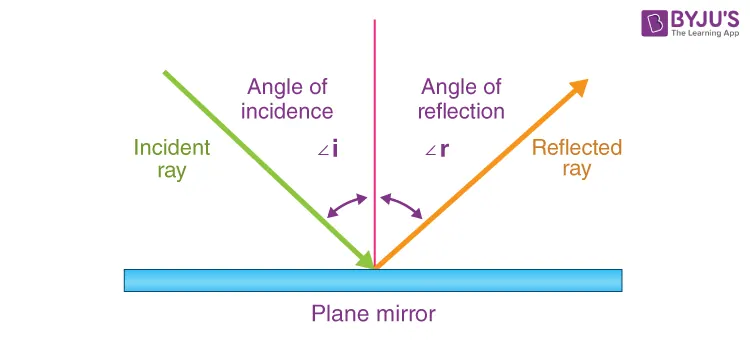
A flat mirror reflects light so that the angle of incidence equals the angle of reflection, and rays appear to come from a point behind the mirror.
 |
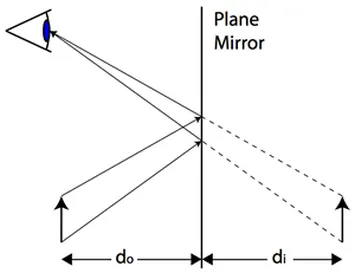 |
In a ray diagram, rays leaving the top and bottom of the arrow reflect from the flat mirror and, when extended backwards, appear to form an image the same distance behind the mirror as the arrow is in front, giving an upright, same-size virtual image.
A virtual image is not a point where light rays actually meet, but a location from which the reflected rays seem to come when traced back. If rays really cross in space, the image is real and can be formed on a screen; if they only seem to come from a point when extended backwards, the image is virtual and can be seen only by looking into the optical device.
A virtual image is not a point where light rays actually meet, but a location from which the reflected rays seem to come when traced back. If rays really cross in space, the image is real and can be formed on a screen; if they only seem to come from a point when extended backwards, the image is virtual and can be seen only by looking into the optical device.
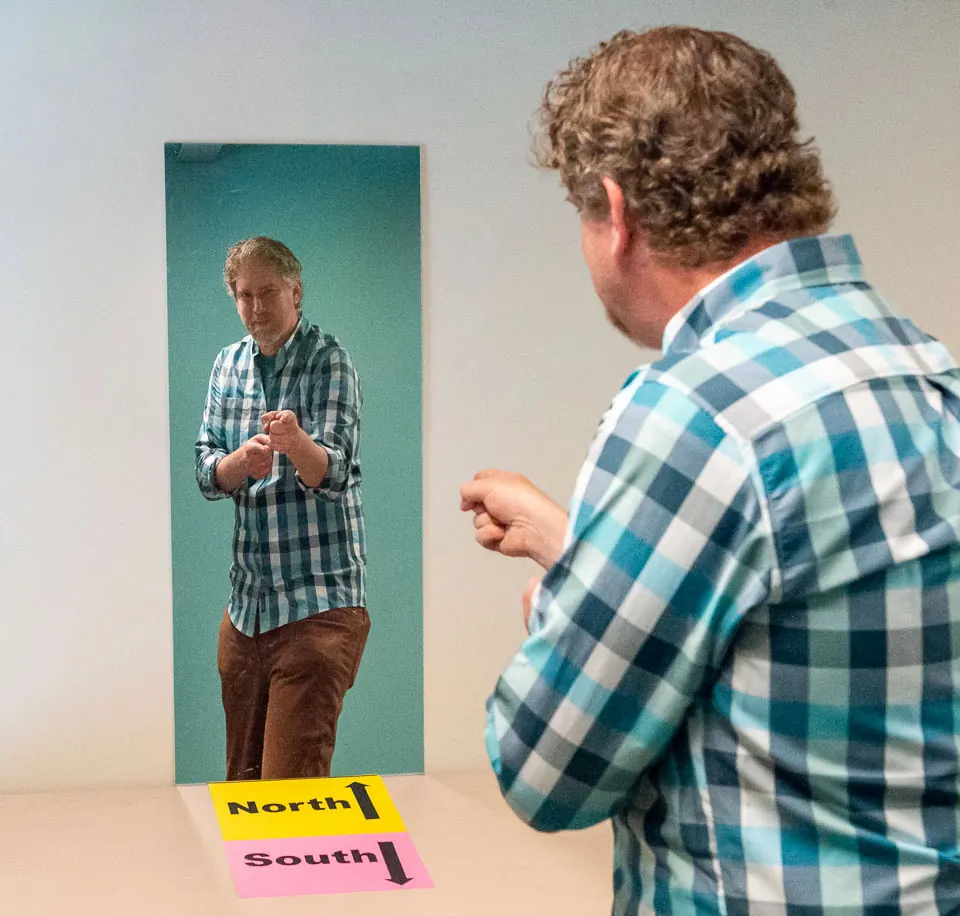
Mirror image inversionA flat mirror does not really swap left and right, or flip up and down; instead, it reverses front and back.
In a flat mirror, if you point along +x, −x, +y, or −y, (right, left, up, down) the image points the same way, so left–right and up–down do not flip. But if +z is “toward the mirror”, then your finger pointing +z appears as the image finger pointing −z, “out of” the mirror, so the front and back is inverted. |
 |
Curved Mirrors
Concave (Converging) MirrorsA concave mirror is a converging mirror: parallel rays from a distant object reflect and meet at the focal point in front, forming an inverted, diminished, real image there.
In the ray diagram, one ray is drawn parallel to the axis and reflected through the focal point, and a second ray goes to the mirror centre and reflects back on itself; they intersect at the focal point, marking the image. 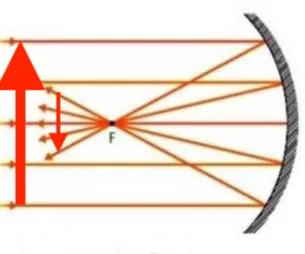 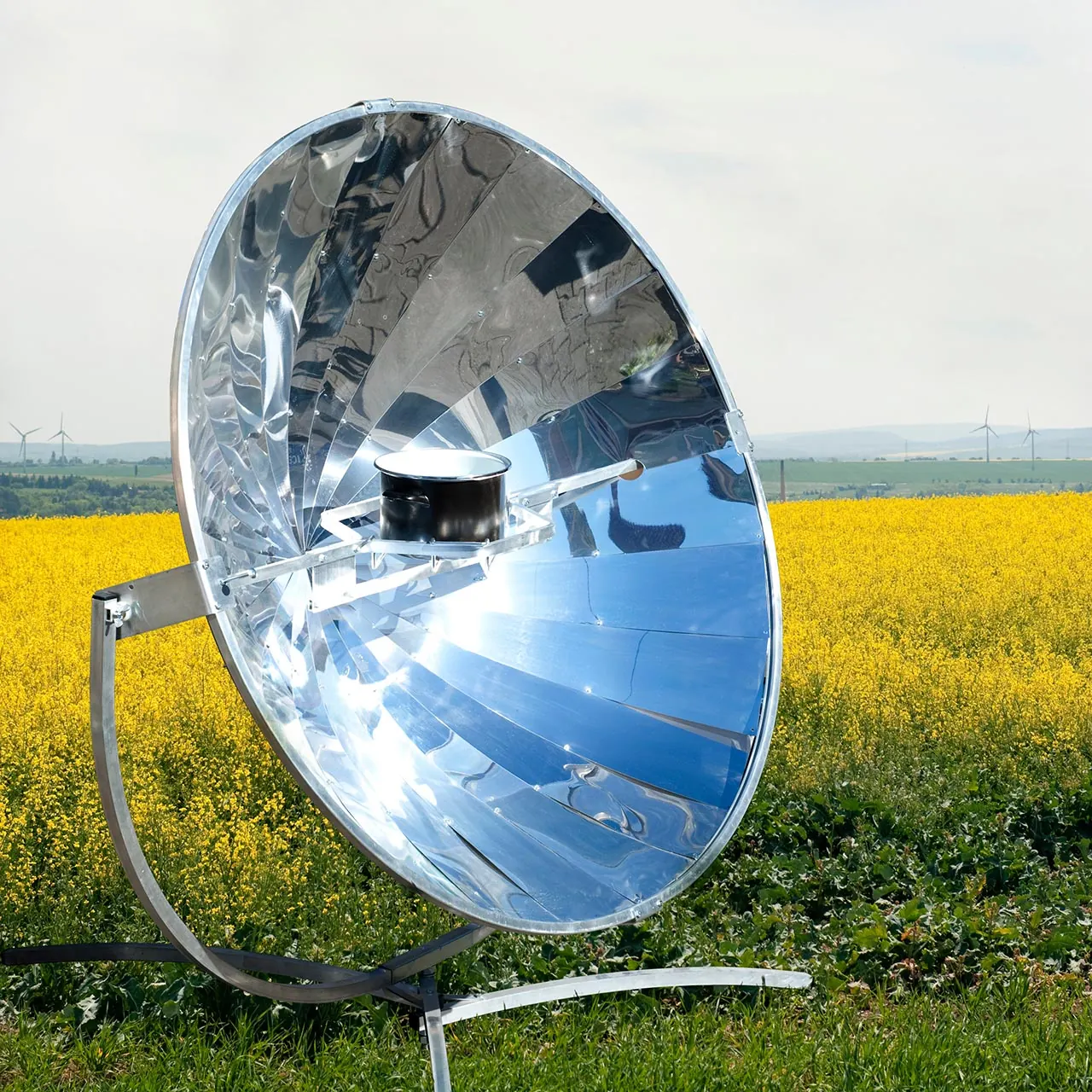 |
Convex (Diverging) MirrorsA convex mirror is a diverging mirror: parallel rays reflect as if they came from a focal point behind the mirror, so they spread out and do not meet in front.
In its ray diagram, one ray is drawn parallel to the axis and reflected outward so its backward extension passes through the focal point, and a second ray goes to the mirror centre and reflects with equal angle; their backward extensions meet at an upright, diminished, virtual image behind the mirror. 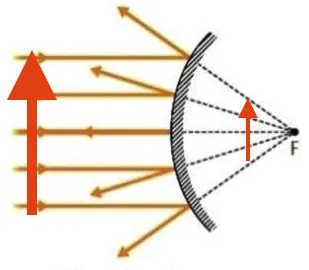 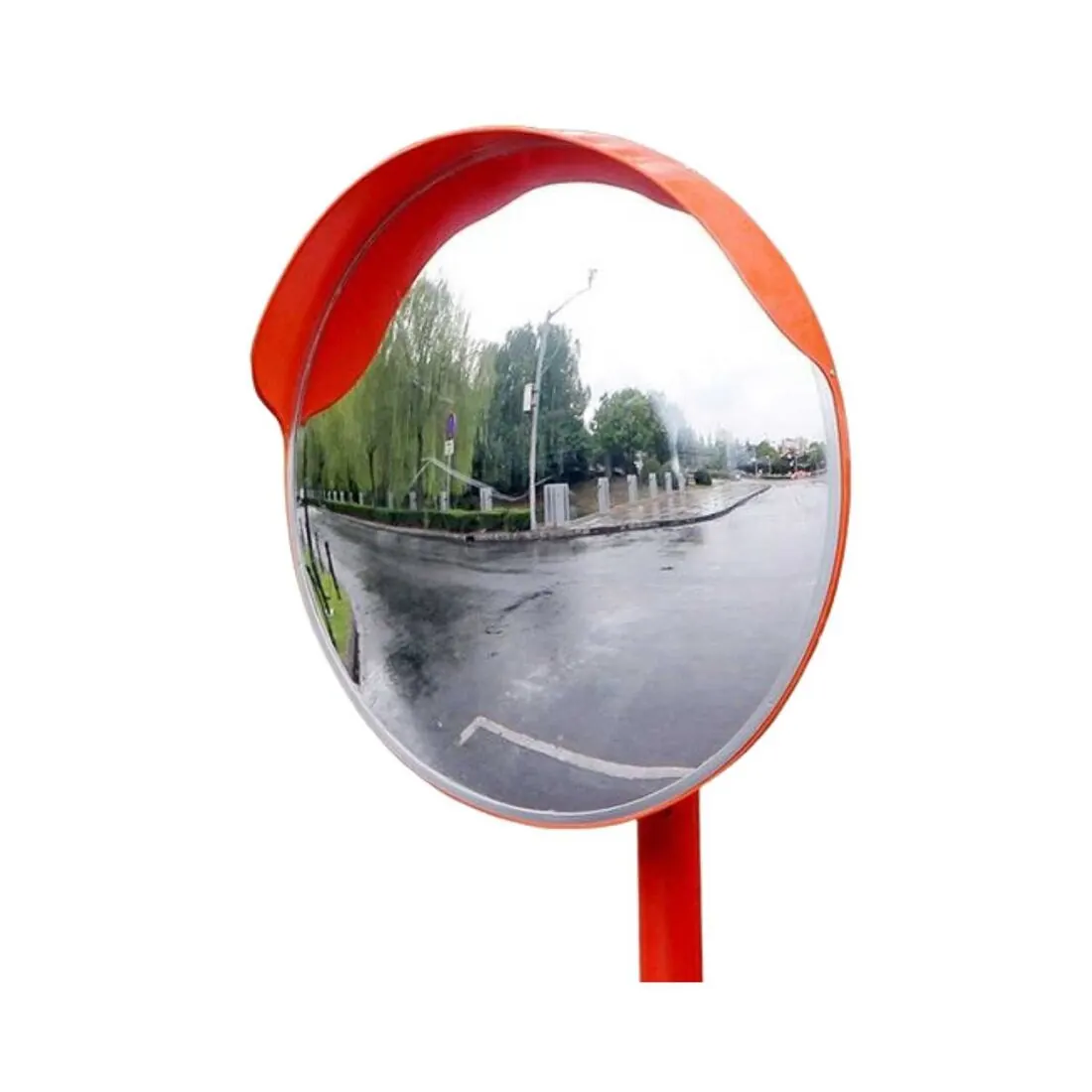 |
Curved Lens
Concave (Diverging) LensA concave lens is a diverging lens: parallel rays spread out after refraction and appear to come from a focal point on the same side as the object, so they do not meet to form a real image.
In the corresponding ray diagram, one ray enters parallel to the axis and refracts so that its backward extension passes through the focal point, and a second ray passes through the lens centre; their backward extensions meet at a point that represents an upright, reduced virtual image on the object side of the lens. 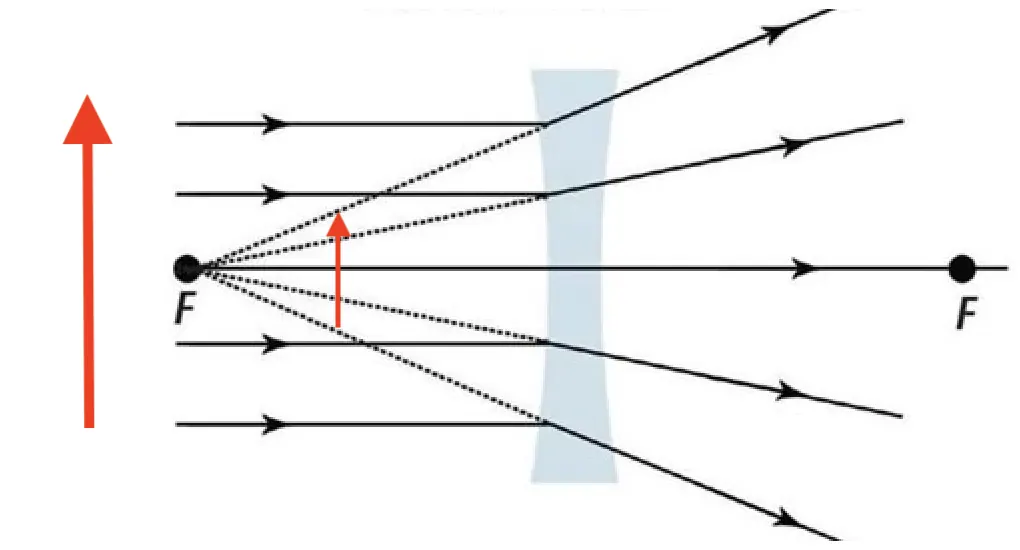 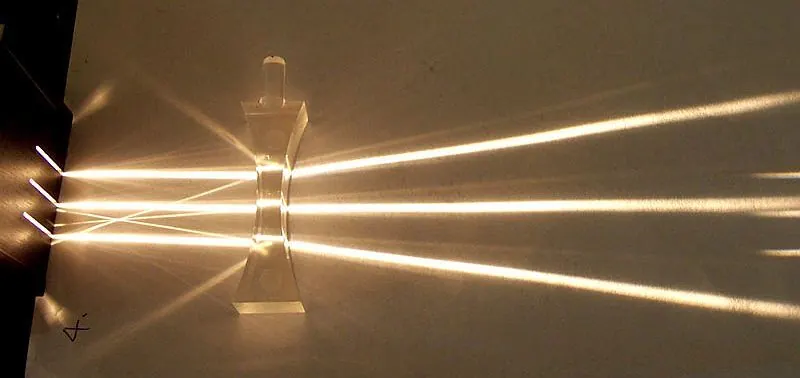 |
Convex (Converging) LensA convex lens is a converging lens: parallel rays from a distant object refract and meet at the focal point on the far side of the lens, where an inverted real image forms.
In the ray diagram for an object at infinity, one principal ray travels parallel to the axis and refracts through the focal point, and a second ray passes through the centre of the lens with almost no deviation; their crossing at the focal point gives the position and inversion of the real image. 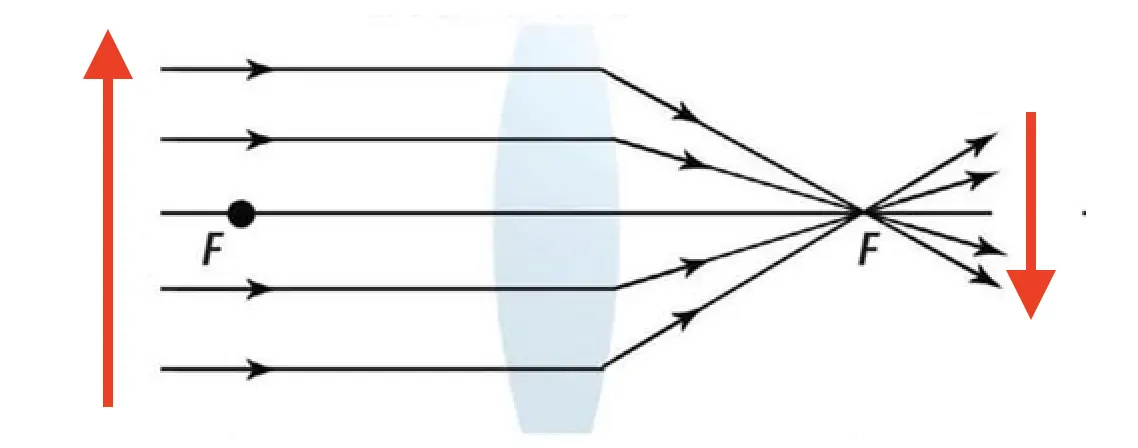 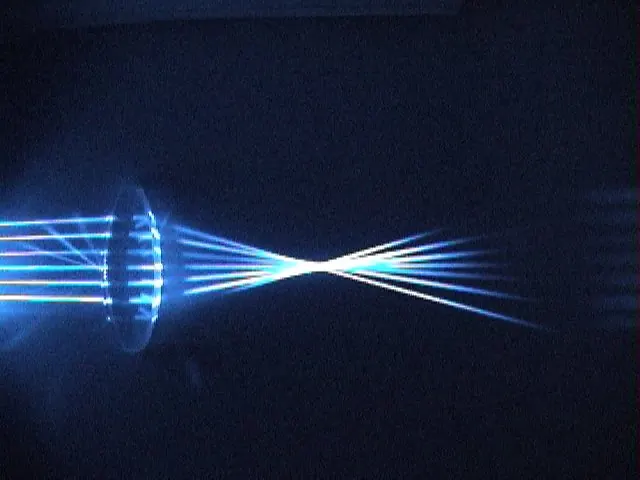 |
Activity

What is Comet?
|
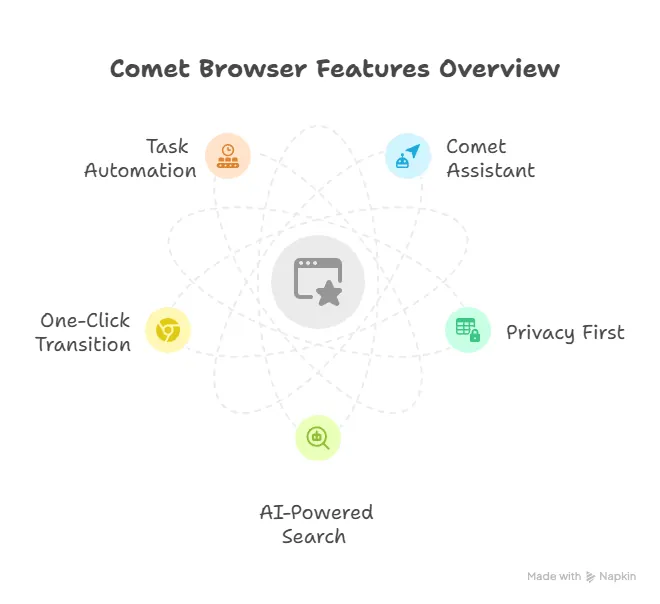
Comet is an AI-native, Chromium-based web browser developed by Perplexity AI that functions as an "agentic" assistant rather than just a tool for viewing webpages.
eleased in mid-2025, it distinguishes itself by integrating a powerful built-in agent that can understand the context of open tabs, summarize complex content (including YouTube videos and long threads), and execute multi-step tasks such as booking flights, organizing calendars, or drafting emails directly within the interface. While it offers deep productivity benefits through its "hybrid" architecture—processing simple tasks locally for speed while using the cloud for complex reasoning—it has also drawn attention for the significant data access it requires to operate effectively on a user's behalf. |
 |
Activity 1: The "AI Scholar" (Summarization & Research)
Goal: Use the Comet Assistant to synthesize information from a dense technical webpage into a "Student Study Guide" based on your lesson notes.
Instructions:1.1 Install Comet browser on your Macbook. Click here to downoload Comet.
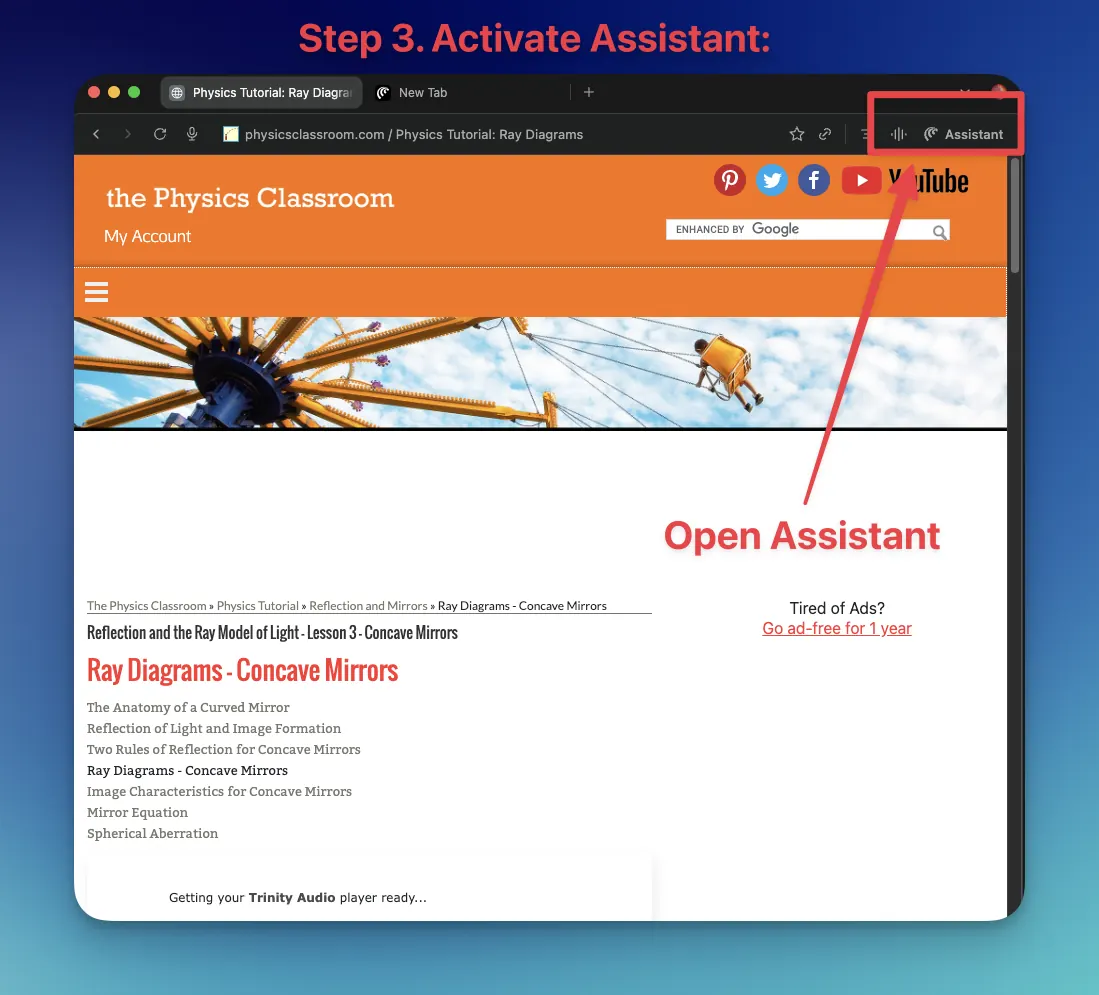
1.2 Open Comet Browser 2. Navigate: Open a detailed article on optics (e.g., The Physics Classroom: Ray Diagrams). 3. Activate Assistant: Click the Comet Assistant icon (or use the shortcut Ctrl+I / Cmd+I). 4. Command the Agent: Type the following prompt into the Assistant: "Using only the content on this page, create a 3-bullet point summary of how to draw a ray diagram for a concave mirror. Then, explain the difference between a 'real' and 'virtual' image". |
 |
Activity 2:
AI Shopping Agent (Amazon Research)
Your Mission:
You are a lead researcher for the school science department. You have been given a $20 budget to find the best possible magnifying glass for the lab. You will use the Comet Assistant to do the "legwork"—searching, filtering, and opening the right pages for you to review.
Instructions:
|
Step 1:Open Amazon:
Go to Amazon.com in a new tab. |
 |
|
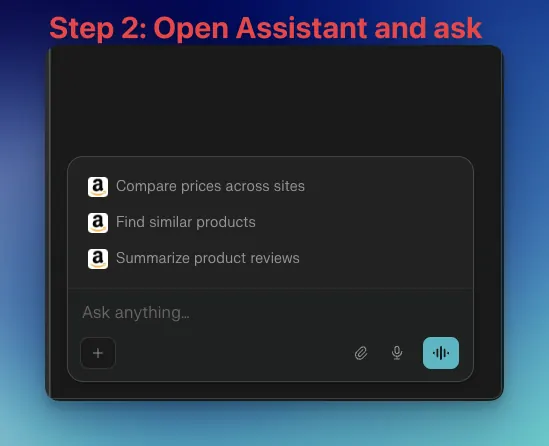
Step 2: Delegate the Task:
Instead of searching manually, open the Comet Assistant. Copy and paste prompt below: "I am looking for a high-quality magnifying glass for a school science lab. Please search Amazon and find 3 suitable options that meet these exact specifications:
Required Actions:
|
 |
|
Step 3: Execute & Verify:
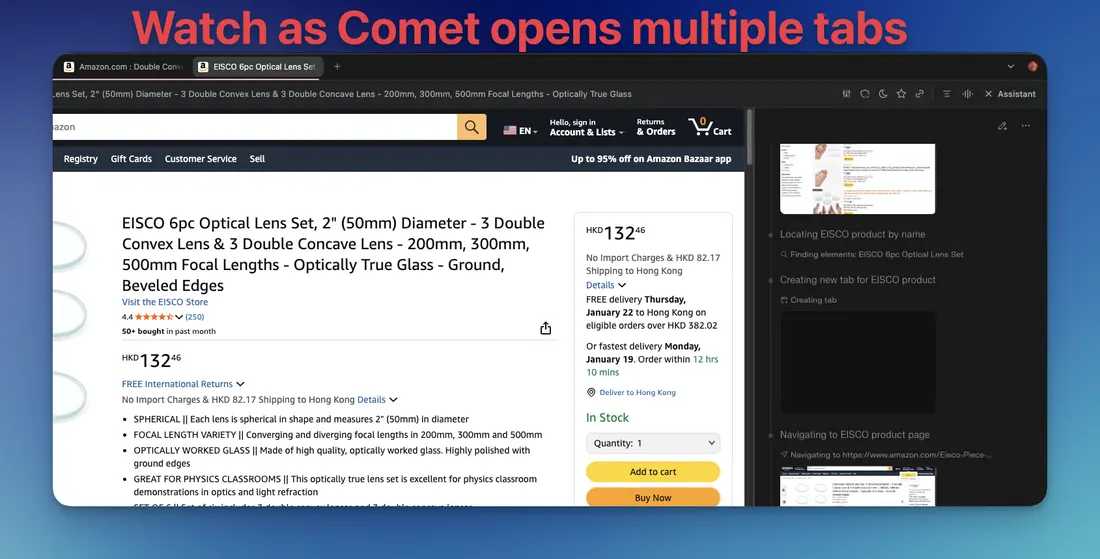
Watch as Comet opens multiple tabs to "read" the product descriptions for you. |
 |
Step 4: Human Quality Check
Look at the tabs/items Comet chose. Did the AI accurately follow your instructions?
Look at the tabs/items Comet chose. Did the AI accurately follow your instructions?
- Did any item cost more than $20?
- Do they all have LED lights?
|
Step 5: Discussion
|
 |