Please make sure to use use Google Chrome.
When programming with the Microbit, program flow is like planning a path for your code. It means the sequence in which the instructions run, starting from the top and going step by step to the end. Normally, code runs in a straight line—one instruction after another, like reading a book page by page.
To make instructions repeat, we use loops. Loops let you repeat a section of code many times without writing it over and over. For example: "forever" (which keeps going until you stop it) or "repeat n times" (executing a set number of iterations).
To make instructions repeat, we use loops. Loops let you repeat a section of code many times without writing it over and over. For example: "forever" (which keeps going until you stop it) or "repeat n times" (executing a set number of iterations).
 |
 |
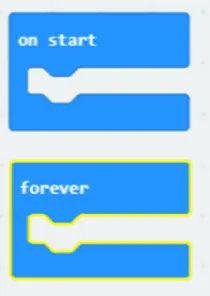
The Basic FlowTo begin the program, we usually starts with on start, the program will run all the tasks one by one and stops once it has completed all. By default, a micro:bit program runs its commands sequentially.
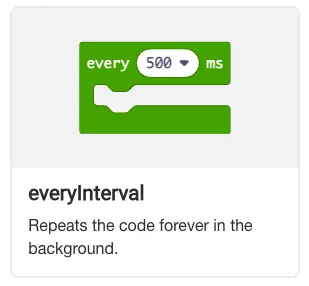
However, programming often requires repeating actions or creating continuous behaviors. This is managed through forever loop. It will repeatedly perform all tasks in the right order, but when it is all done, it starts over again. |
 |
The Loops
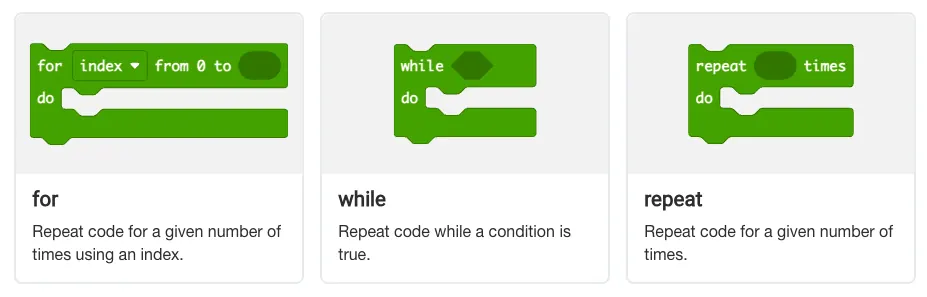
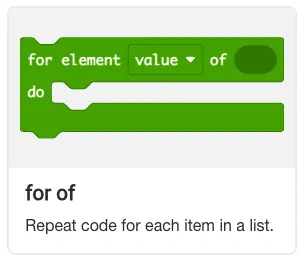
For tasks that need to be repeated, the loop is used. You can set the number of repetitions by entering a value into the loop's parameter. You may repeat for as long as a condition is True.
The code inside the loop will run for the specified count and then the program will continue with any instructions that follow.
The code inside the loop will run for the specified count and then the program will continue with any instructions that follow.
 |
 |
Activity 7: CountingUp
|
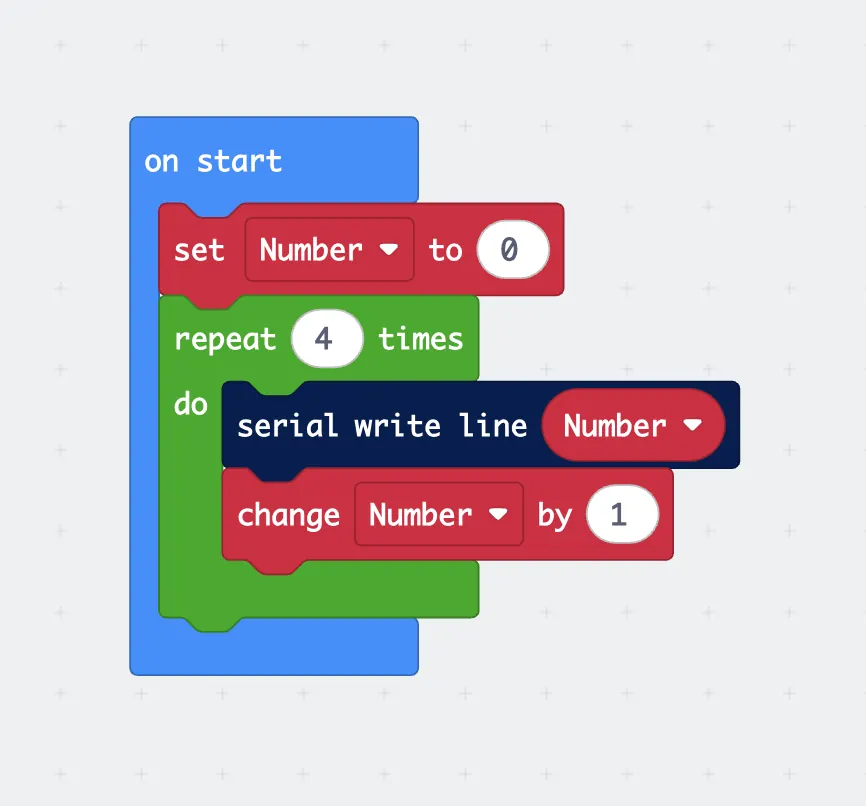
This program sets a variable called "Number" to 0.
For 4 iterations, it will:
Challenge: 1) instead of adding 1, change it to subtracting 2 every iteration. 2) instead of ending at 4 times, end at 1000 iterations. |
 |
Activity 8: KeepEatingWhileHungry
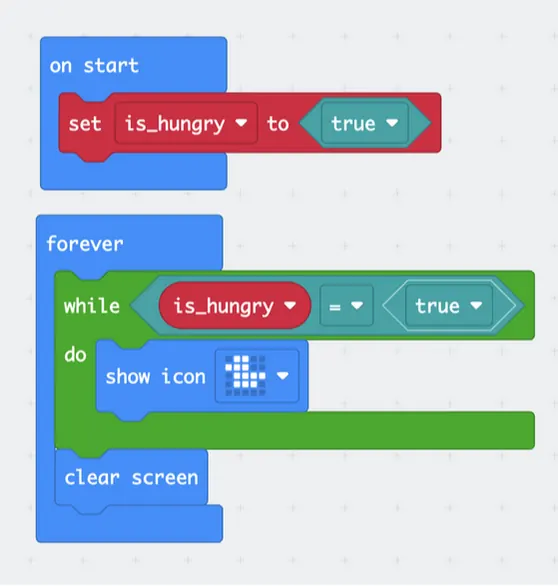
The following code sets a variable called "is_hungry" to True at start. As long as is_hungry remains True, it will keep displaying the duck icon, otherwise clear screen. Pressing button A will set the variable to a new state opposite to what it was.
|
Challenge:
|
 |
These activities demonstrate how to use program flow in Micro:bit, which shows the order of instructions in your code, and we covered loops as a way to repeat tasks without extra effort.
These ideas form a basic part of programming and can be used to make different kinds of projects.
These ideas form a basic part of programming and can be used to make different kinds of projects.