Introduction to Sensor Input
The micro:bit is equipped with several sensors that allow it to gather information about its surroundings. These sensors can detect motion, direction, and light levels, providing data that your programs can use to make decisions. Learning to work with these inputs enables you to create projects that interact with their environment in responsive ways.
Logic: Conditional Responses with If Statements
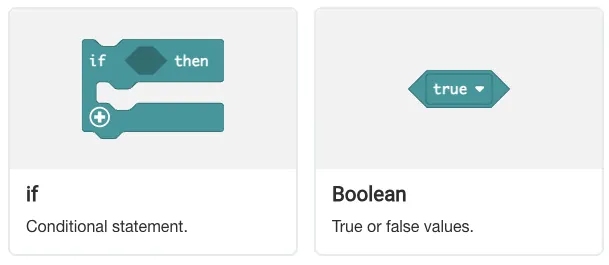
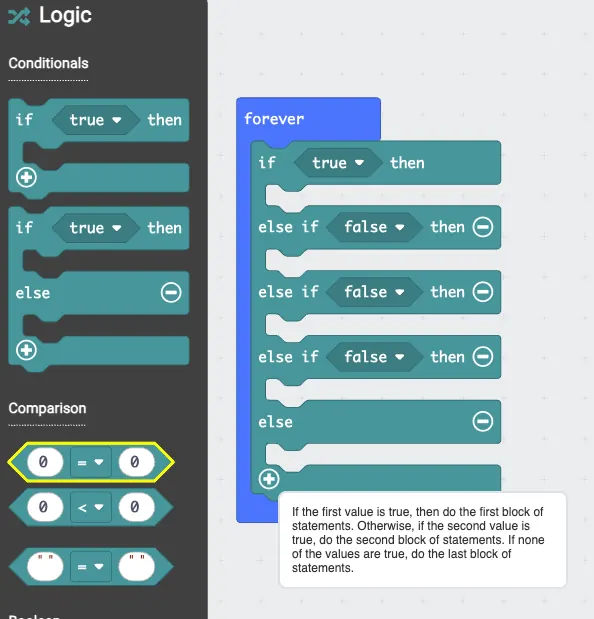
Conditional statements allow your program to make decisions based on sensor readings. The "if" block checks whether a specific condition is true, such as whether the accelerometer detects a shake gesture. If the condition is met, the code inside the "if" block executes. This enables different outcomes depending on what the sensors detect.
Exercise 9: RockPaperScissor
|
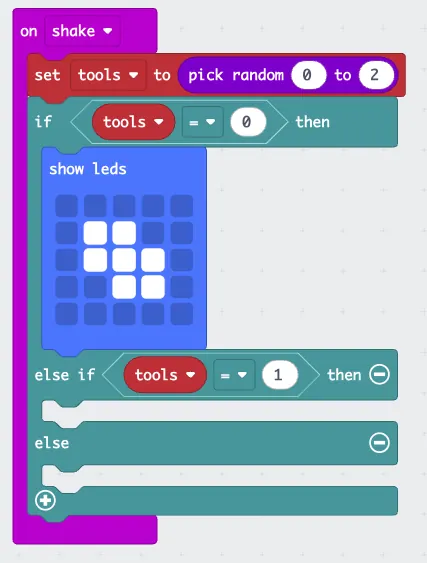
The following code is intended for the famous Rock, Paper, scissor game, however, it is incomplete. Please follow the provided example to complete the rest of the code, such that the game works. |
 |
Exercise 10: JumpScare
|
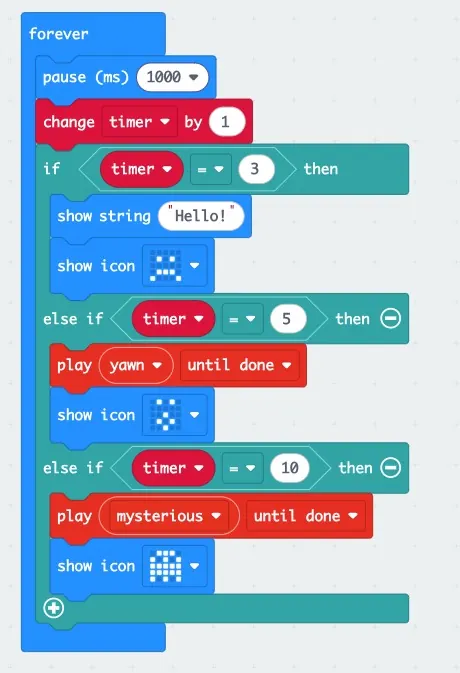
Let's build a 'Jumpscare' project! We'll create a timer variable to track time and use if statements to make decisions. If the timer hits 3 seconds, it shows "Hello?". If it hits 5 seconds, it gets scared. And if it hits 10 seconds—BOO! A ghost appears! You'll learn to control your Micro:bit with variables and conditional logic. |
 |
Measuring Light Levels
The LED display on the micro:bit can function as a basic light sensor. When used for this purpose, the LEDs measure ambient light levels rather than emitting light. The sensor returns values representing relative brightness, with higher values indicating brighter conditions. This allows programs to respond to changes in lighting, such as detecting when a room gets darker or brighter.
Exercise 11: LightLevelIndicator
|
How much list is it out there? Create a if-else conditional statement such that: When the light level is less than 128 it shows one icon, else it shows the other. Challenge: Create another condition of light level that shows a different icon. |
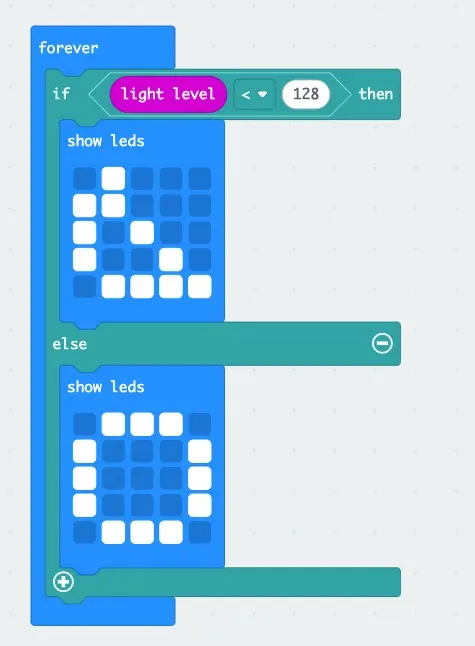 |
Using the Compass
The compass sensor, or magnetometer, detects magnetic fields and can determine which direction the micro:bit is facing. Before use, the compass needs to be calibrated to ensure accurate readings. This process involves tilting the micro:bit to draw a circle on the LED display, which helps the sensor account for local magnetic variations. Once calibrated, the compass provides heading values from 0 to 360 degrees, corresponding to cardinal directions.
Exercise 12: CompassDirection
|
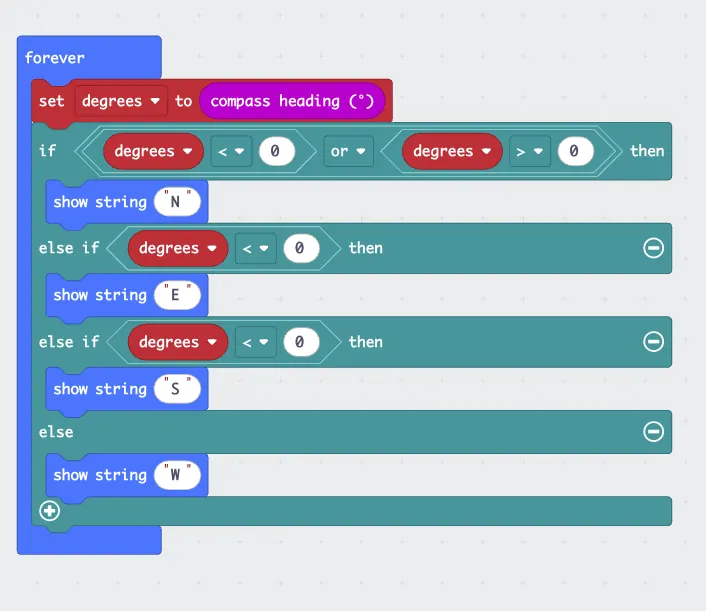
This phrasing is very direct and translates easily into if/else logic in programming.
The compass heading is interpreted as:
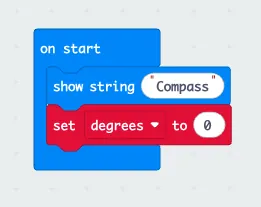
Challenge: Please fill in the numbers accordingly and test the compass to see if it works properly. |
  |