The Science of Self-Steering Rovers
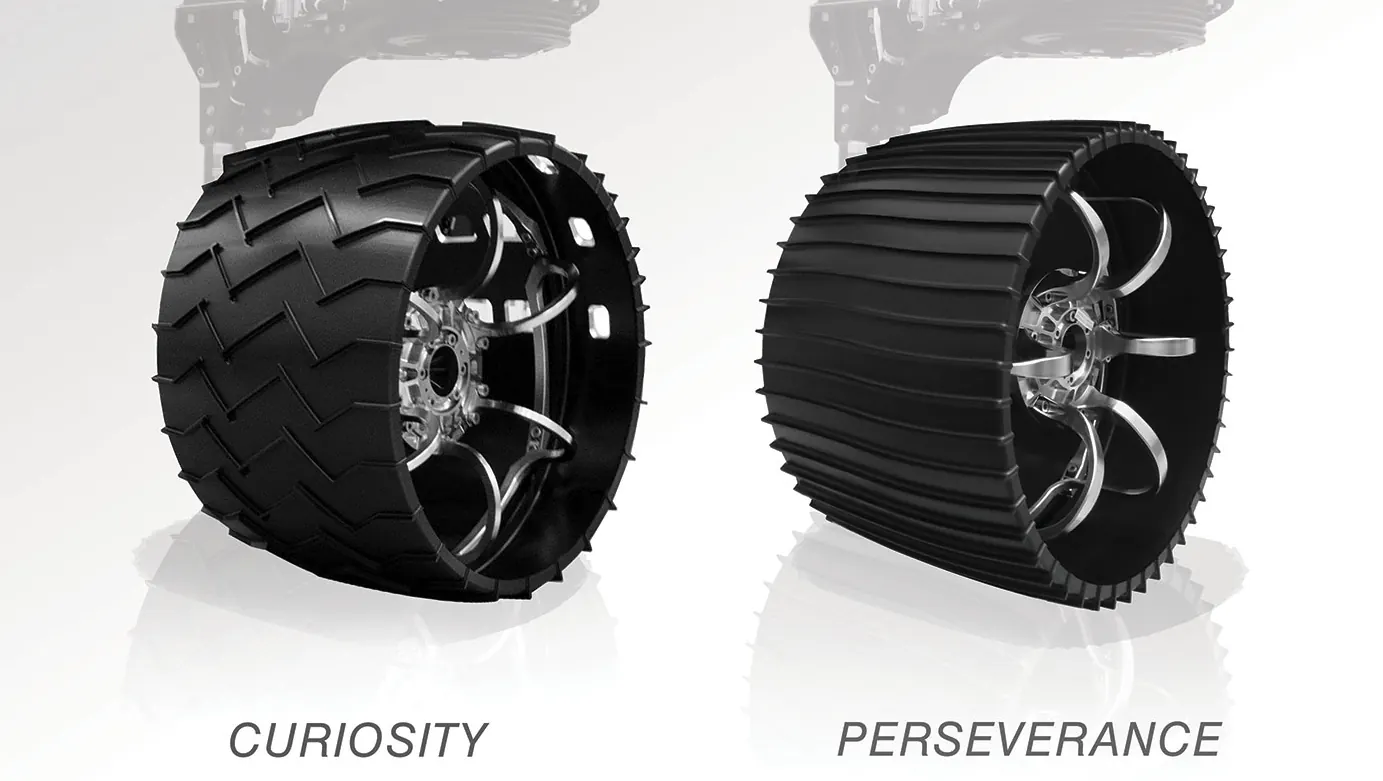
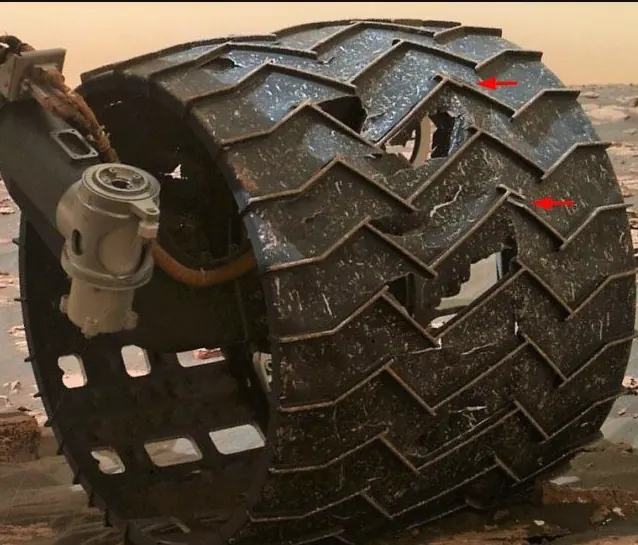
Planetary rovers like China's Zhurong and NASA's Curiosity and Perseverance are engineered to navigate the unpredictable terrain of other worlds, such as Mars. A critical function for this exploration is their ability to turn and change direction autonomously through the precise control of their wheels. These rovers cannot be manually driven in real-time like a remote-controlled car because the vast distances between Earth and other planets cause significant communication delays. This time lag makes direct control impractical and dangerous, as the rover could encounter an unseen obstacle or hazard long before a human operator could react. Therefore, the capacity for the rover to independently adjust its wheel movements to steer around dangers or toward targets is essential.
To overcome this challenge, scientists and engineers program the rovers to make their own navigation decisions, which directly translates into commands for their wheels. By processing data from cameras and sensors, the rovers can create 3D maps of their surroundings, identify potential hazards like large rocks or steep slopes, and then calculate a safe path forward. This path includes specific instructions for how each wheel should rotate to execute turns and maneuvers. This autonomous control over wheel movement allows the rovers to continue their scientific missions safely and efficiently, navigating complex landscapes without constant step-by-step instructions from Earth. This ability to turn and steer independently by commanding their wheels is fundamental to the success of any robotic exploration mission on another planet.
To overcome this challenge, scientists and engineers program the rovers to make their own navigation decisions, which directly translates into commands for their wheels. By processing data from cameras and sensors, the rovers can create 3D maps of their surroundings, identify potential hazards like large rocks or steep slopes, and then calculate a safe path forward. This path includes specific instructions for how each wheel should rotate to execute turns and maneuvers. This autonomous control over wheel movement allows the rovers to continue their scientific missions safely and efficiently, navigating complex landscapes without constant step-by-step instructions from Earth. This ability to turn and steer independently by commanding their wheels is fundamental to the success of any robotic exploration mission on another planet.
 |
 |
Controlling the Cutebot's Direction
Just as planetary rovers must change direction to navigate, this next hands-on project will demonstrate how to control the Cutebot's wheel-turning ability. The principle behind this movement is known as differential steering, where the motors are programmed to spin the left and right wheels at different speeds. By making one wheel turn faster than the other, the robot can be commanded to turn left or right. Mastering this basic control is the foundational step toward programming the Cutebot to navigate its environment independently, much like its larger counterparts on other planets.
Here's the breakdown of the turning logic:
This method allows for precise control over the robot's direction.
Here's the breakdown of the turning logic:
- If the left wheel moves faster than the right wheel, the Cutebot will turn right. Imagine the faster left wheel pushing the robot forward on its left side, causing the robot to pivot around the slower right wheel.
- If the right wheel moves faster than the left wheel, the Cutebot will turn left. Similarly, the faster right wheel pushes the robot forward on its right side, causing it to pivot around the slower left wheel.
This method allows for precise control over the robot's direction.
Activity 3: Dance in Figure-of-eight
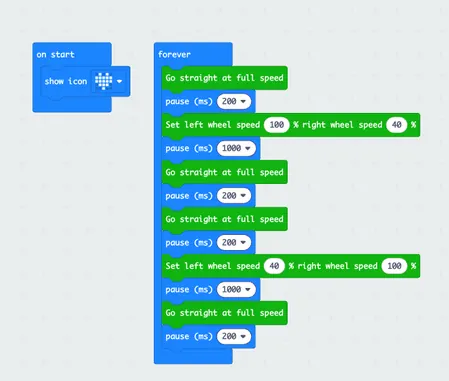 |
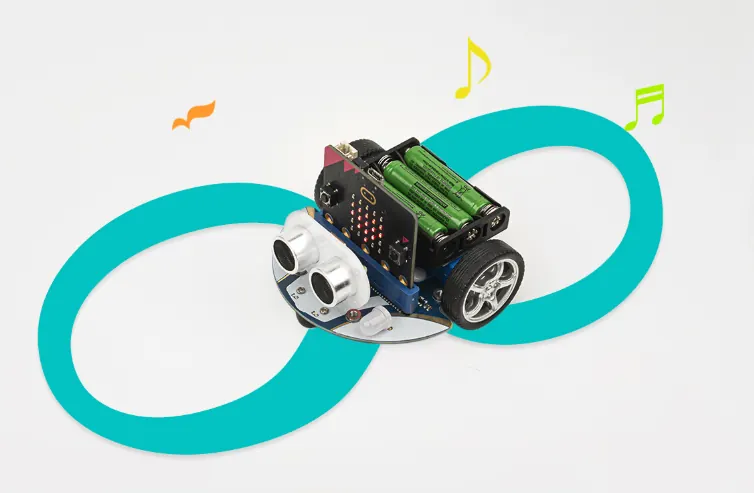
Make your Cutebot move in the figure-of-eight. Cutebot is a car with three wheels, and the direction is adjusted by the different speeds of the left and right wheels.
1. Choose "show icon" in the "on start" brick. 2. Drag "go straight at full speed" and "set left wheel speed, right wheel speed" bricks into the "forever" brick in the same order and numbers from the photo. Divide the "figure-of-eight" track into six parts (refer to the 6 green blocks from the photo). |
|
Challenge: Modify the program to make the Cutebot move and turn as if it were following a route that is shaped like a square path. Please note that the wheel speed examples in the photo above are not a 90-degree turn. Test out what numbers are needed to make a succseful 90_degree turn. |
Activity 4: Steering & Clearance Lamps
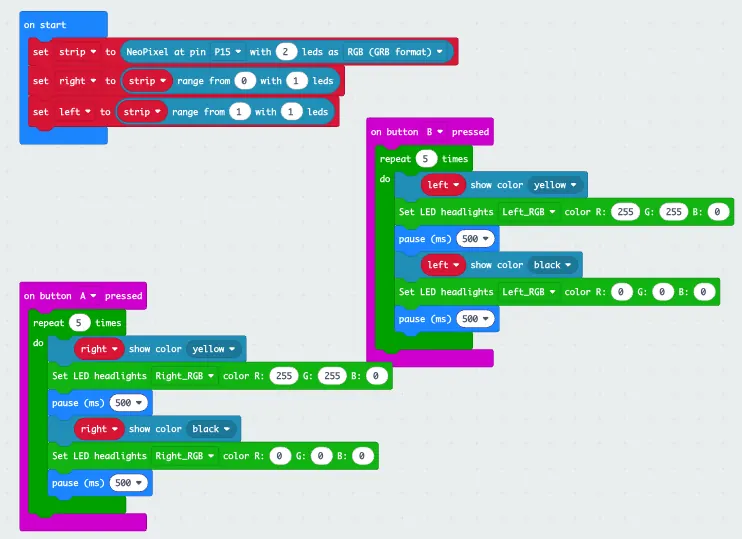 |
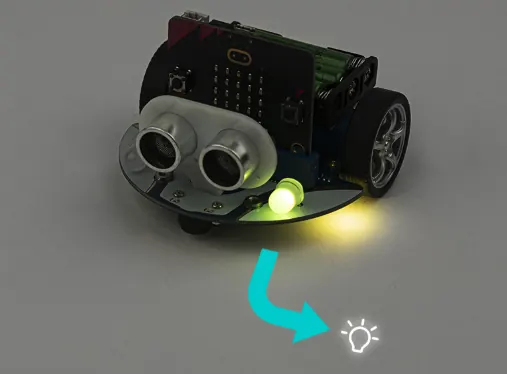
Program the Cutebot to turn on its steering and clearance lamps when making a turn.
1. Set P15 as the two Rainbow LEDs connection port in the "on start" brick:
3. Program in the "on button B pressed" brick in the same way, please note that the right side should be changed to the left side. |
 |
Challenge: Modify the program to make the Cutebot make a 90-degree turn to the direction the clearance lamp is facing, then pause for. a moment, and then move forward for 3-5 seconds. |
Activity 5: Autonomous Obstacle Avoidance
 |
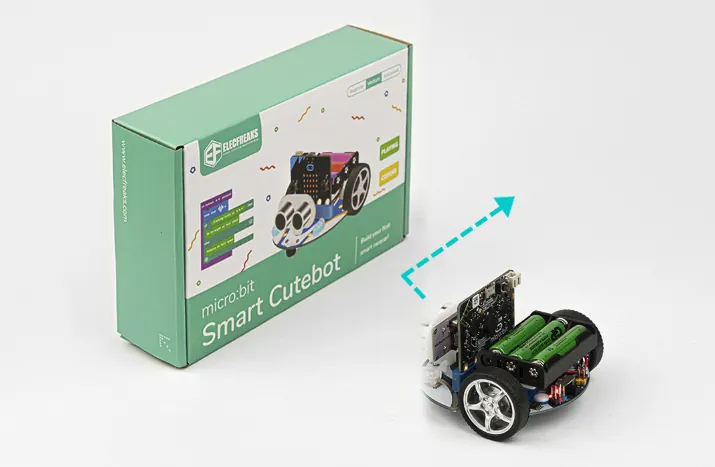
The Cutebot, much like its planetary rover counterparts, is designed to autonomously detect and navigate around obstacles as it proceeds forward.
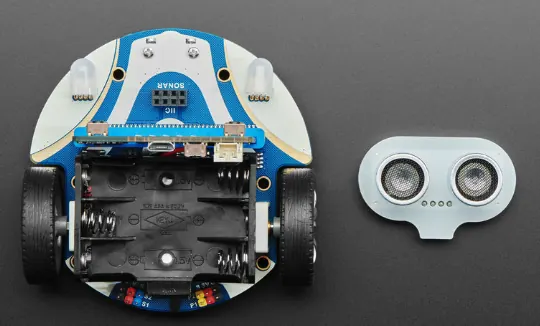
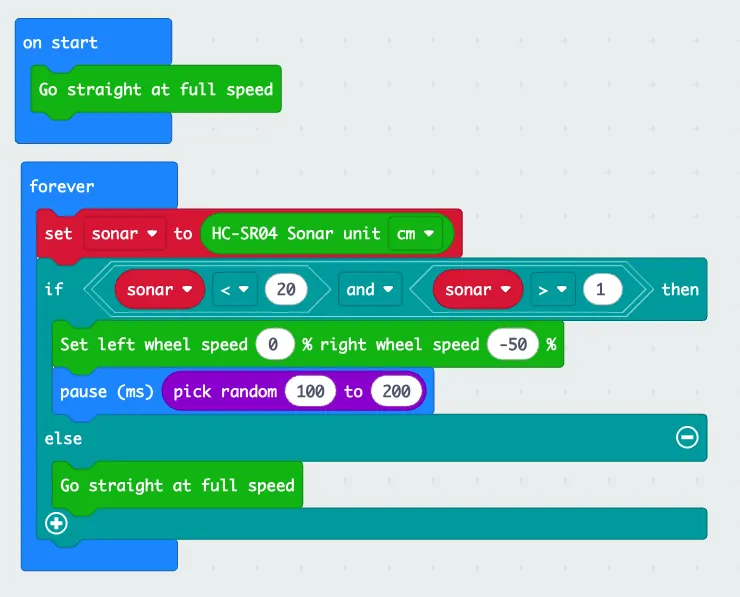
The Ultrasonic Sensor is like the eyes of the Cutebot. It can measure distance, detect obstacles, and prevent wall collision. As a result, this code will make the Cutebot move forward at its full speed, and then it will make a right turn to keep going if any obstacle is detected. 1. Drag the "go straight at full speed" brick into the "on start" brick. 2. Set a Sonar variable to save the detected cm value in the 'forever' brick. If the detected value is in the range of 2 to 20, which means there is an obstacle being detected in the front from 2cm to 20cm, set the left wheel speed to 0 and right to -50, make a right turn at a random time to complete an obstacle avoidance. If not, move forward at its full speed. |
 |
Challenge: Modify the program to make the Cutebot make a left turn whenever it detects an obstacle. Moreover, change the range of the obstacle detection value. Test with either a wider or narrower range. |