Understanding Cloud Storage
Google Drive is an online storage service that allows you to keep your files in a secure online space rather than on a single physical device. This approach, known as cloud storage, means your documents, images, and other files can be accessed from any internet-connected computer, tablet, or smartphone. When you save files to Google Drive, they are stored on remote servers maintained by Google, which means they are not tied to the specific device you used to create them.

Creating and Uploading Files
|
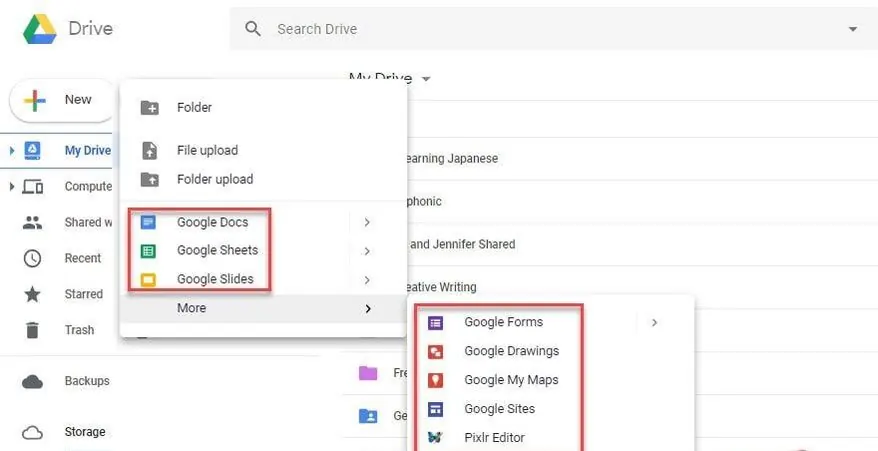
You can create new documents directly within Google Drive using the integrated applications such as Google Docs, Sheets, and Slides.
These applications operate within your web browser and automatically save your work as you type. Alternatively, you can upload existing files from your computer by dragging them into the Google Drive interface or using the upload button. Google Drive supports many common file types, including PDFs, images, and videos. |
 |
Sharing and Collaboration
|
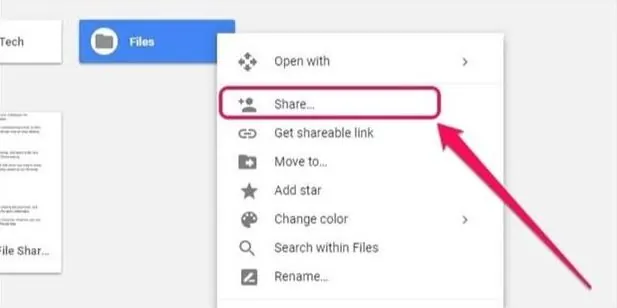
A notable feature of Google Drive is the ability to share files and folders with others. You can grant viewing or editing access to specific people using their email addresses, or you can create a shareable link.
When multiple people edit a document simultaneously, their contributions appear in real time, with each user's cursor identified by a unique color. This facilitates group projects and collective editing without the need to email different versions of a file back and forth. |
 |
Version History
|
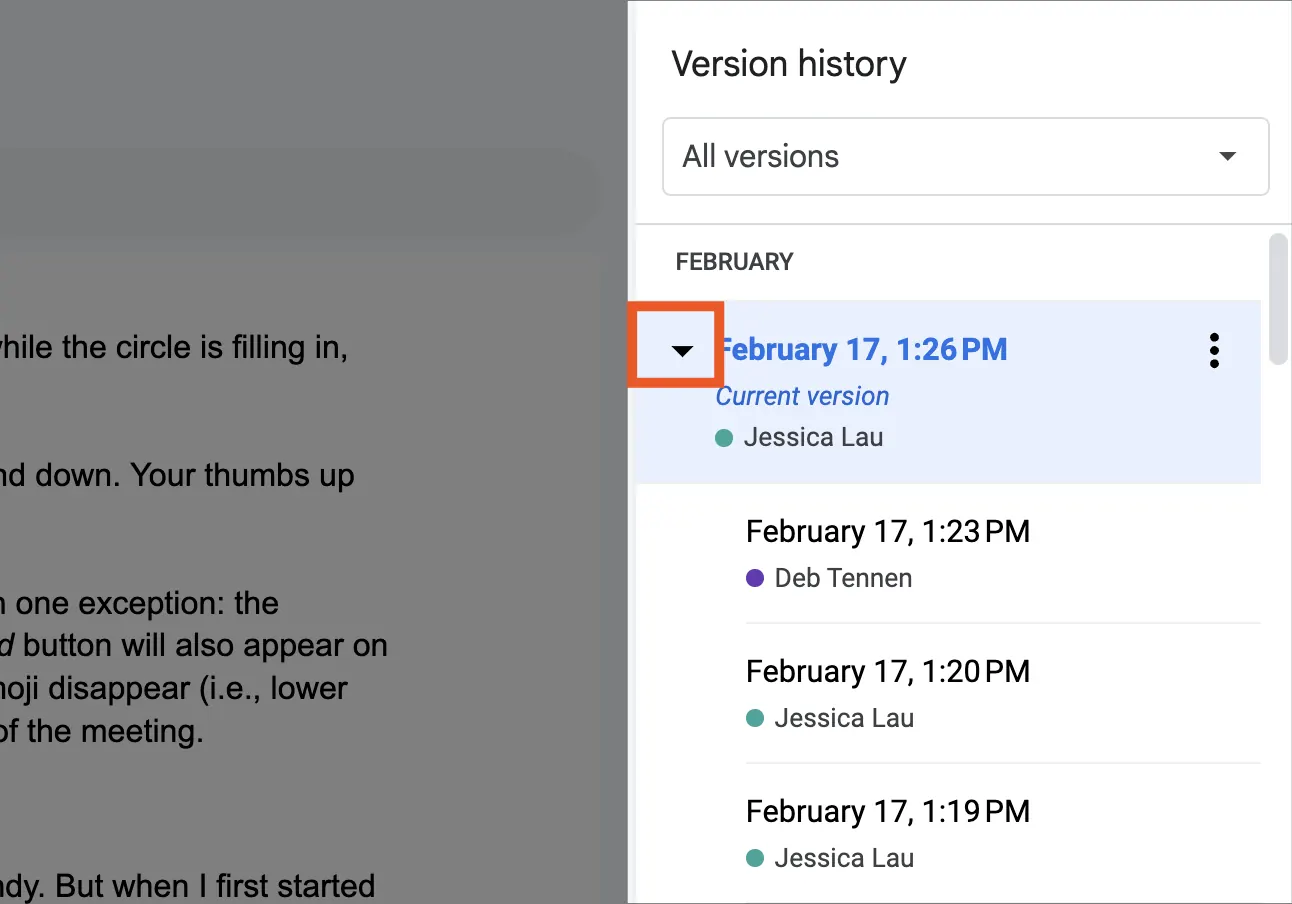
Google Drive automatically saves a record of changes made to documents over time. This feature, called version history, allows you to see who made edits and when they were made.
You can review past versions of a document and, if needed, restore an earlier iteration. This can particularly useful when you want to recover content that was previously deleted or altered. |
 |
Activity: Junior Aerospace Engineers!
|
🚀🚀🚀 Welcome, Junior Aerospace Engineers! 🚀🚀🚀
Today, you're starting your first day at China’s Aerospace Company. Your boss has given you an important mission: Organize a team meeting to discuss our next rocket launch! To complete this mission, you'll need to master 5 powerful Google tools. Get ready for an exciting journey through the digital workspace where real engineers use every day! Your Aerospace boss wants you to complete the mission with these tools: |
 |
 |
 |
 |
 |
 |
Google Drive |
Google Docs |
Google Sheets |
Google Calendar |
Gmail |
For this lesson, we will complete both the Google Drive and Google Docs missions.
 |
–Mission 1–
Google Drive is your personal space station where all your files live safely in the cloud! Just like astronauts need organized storage compartments in their spacecraft, you need Drive to keep your documents, sheets, and slides organized. Everything you create is automatically stored here, and you can access it from any computer or tablet.
Let's learn to be super organized! |
Activity 1: Setting up Google Drive
Let's Explore Together! (5 minutes)
|
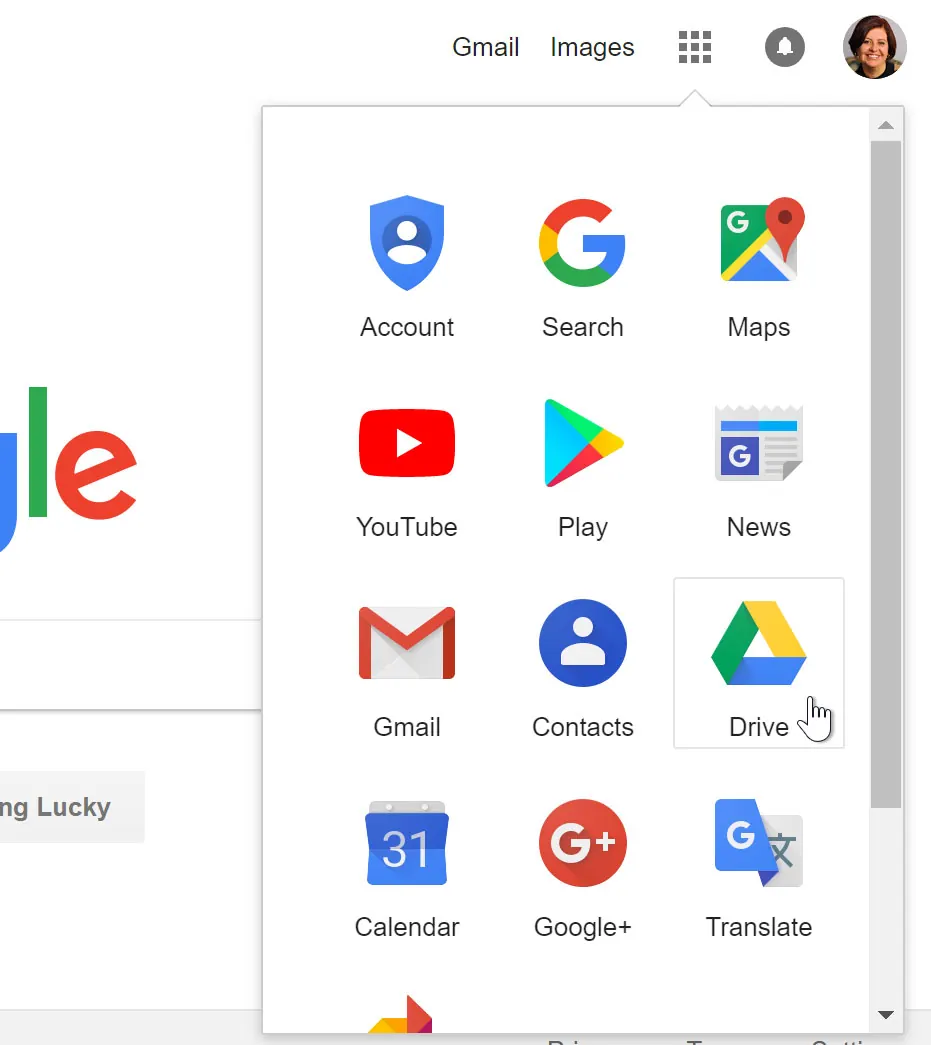
1. Launch Your Hub! Open Google Drive to begin your mission. 3. Name your Google Drive folder Format: Class -> Student Number -> Full name Here's an example: 5AZ_1_KayWong
|
2. Build a New Module Create a brand new Google Drive folder. Some of your important missions for China’s Aerospace Company will be created in this folder. 4. Create a Google Docs file! Inside your Google Drive folder, make a Google Doc file for your 2nd mission. |
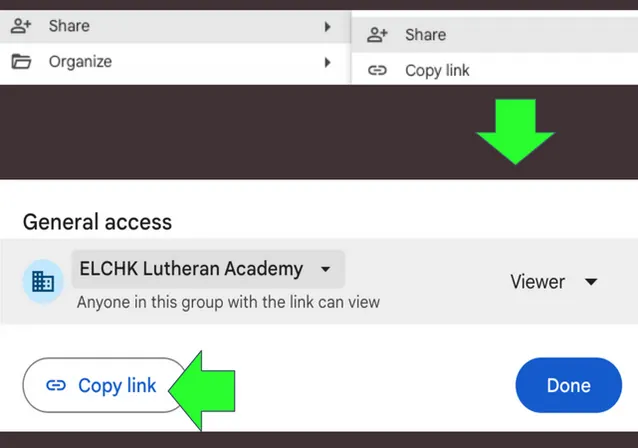
Follow the steps below on how to properly share your link to 25/26 Year 4 group work dropbox: