What is Pinterest?
|
Pinterest is an online platform where people can discover and save ideas using images, short videos, and links. It works like a digital pinboard—you can “pin” useful or interesting content to your own themed boards. Many people use it for inspiration related to hobbies, projects, or schoolwork.
|
 |
Setting Up Your Account
|
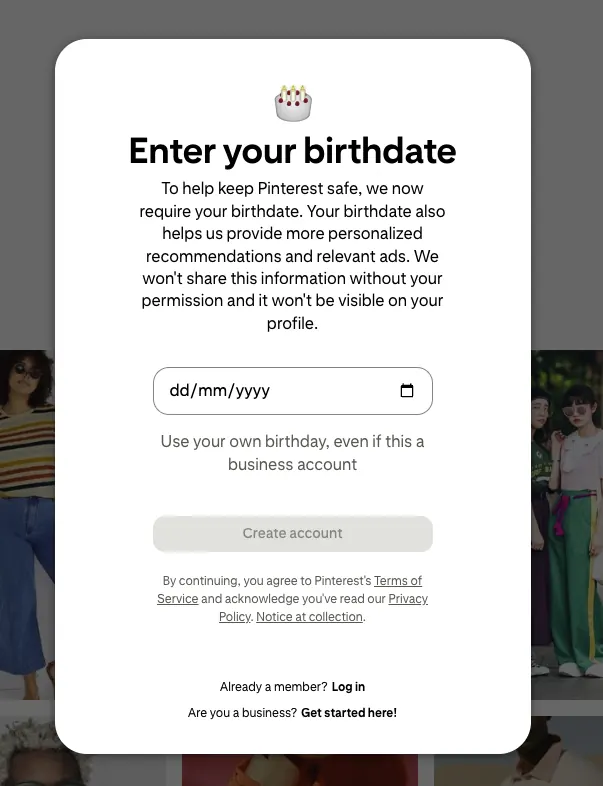
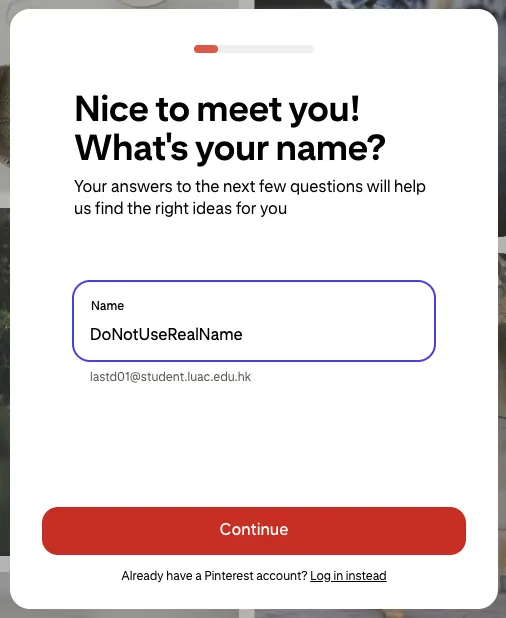
If you are using Pinterest for school, it is important to use your school email address for sign up, and choose a username that does not include your full name or personal details.
|
  |
 |
 |
Search and saving
|
You can use the search bar at the top of the screen to look for images related to your school project. Pinterest will show you a collection of images and ideas. You can click on any image to see more related images or visit the original website it came from.
When you find an image that is useful, click the “Save” button to add it to one of your boards. You can create different boards for different subjects—for example, one for Science, one for Art, and one for ICT. |
 |
Staying safe online
|
While using Pinterest, do not share personal information such as your home address, phone number, or school name.
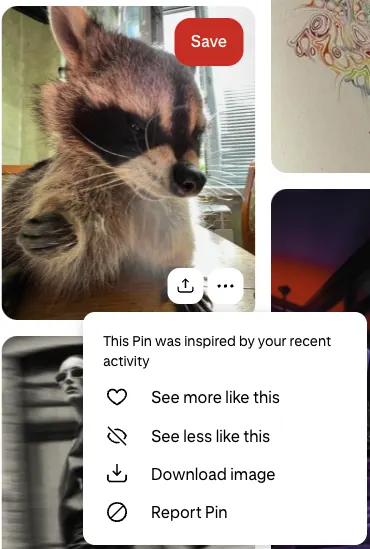
Do not chat with people you do not know. If you see something that makes you uncomfortable or seems inappropriate, use the “Report” button or tell your teacher right away. |
 |